
Pipeline
Follow-ups and activities
Never miss a next step: the daily action queue and activity log.
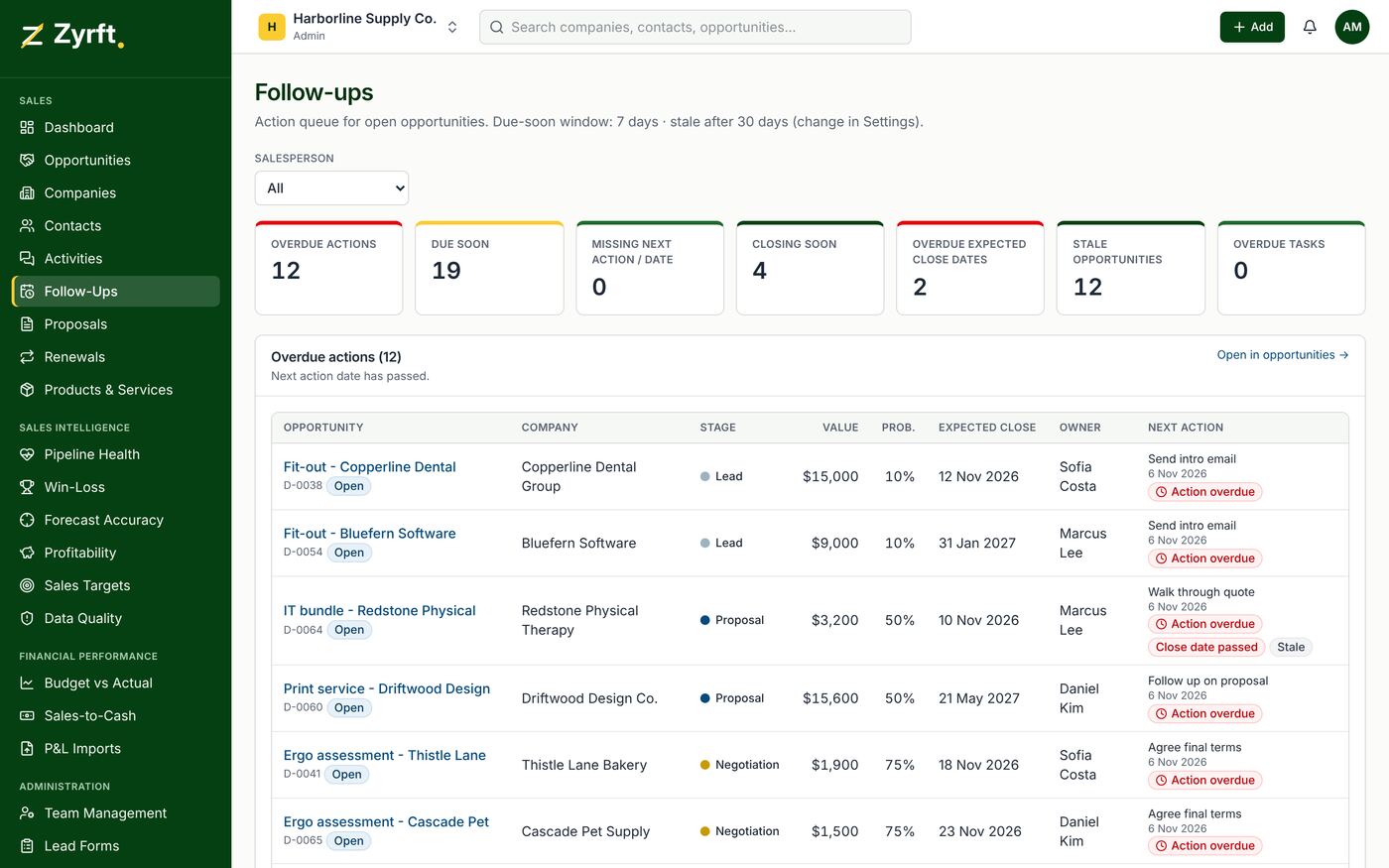
The action queue
Follow-Ups lists overdue next actions, actions due soon, open deals with no next step, deals closing soon and stale deals (no activity for longer than your threshold). Thresholds are set in Settings.
Logging activities
- Open Activities or an opportunity and choose Log activity.
- Pick the company first; contacts and opportunities narrow to that company.
- Add the summary and, if needed, the next step and its date.
Daily digest (Pro)
At 8:00 in your time zone each salesperson gets one email and one in-app notification listing deals closing today, tomorrow and overdue; managers get their team's deals. Turn it off in Settings → Notifications.